shp 파일 JSON으로 변환하기
shp 파일 JSON으로 변환하기
1. mapshaper 사이트 접속
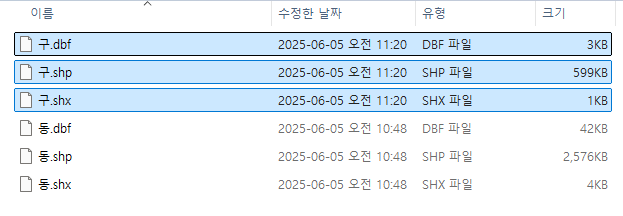
2. 파일첨부
.dbf .shp .shx 파일 모두 첨부
3. Simplify
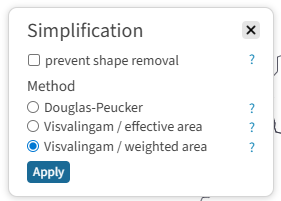
- 우측 상단 Simplify 클릭
- Visvlingam / weighted area 선택, Apply 클릭
- 게이지 조절

4. 파일 저장
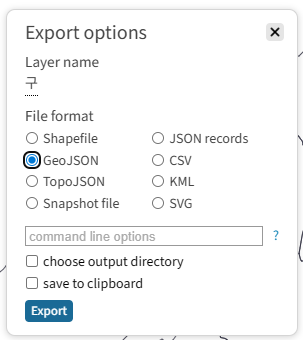
- 우측 상단 Export 클릭
- GeoJSON 선택
- Export
인코딩이 깨져서 나올 때
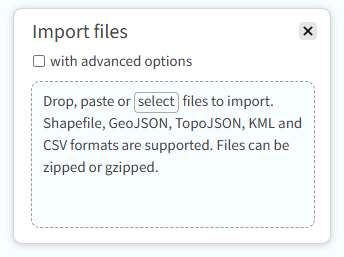
파일 오픈 시 옵션을 입력해줘야 한다.
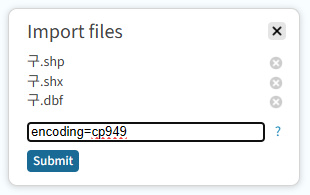
- 파일 첨부 전 with advanced options 체크
- 파일 첨부 (.dbf .shp .shx 파일 모두 첨부)
- input 창에 encoding=cp949 입력
- Submit
좌표계 문제 (GeoJSON은 기본적으로 EPSG:4326 / WGS84 사용)
GeoJSON 내보낼 때 좌표계를 EPSG:4326 (WGS84)로 변환해야 한다.
- 우측 상단 Console 클릭
- 좌측에 열린 shell 창에 아래 명령어 입력
1
2
3
-proj from=epsg:5179 wgs84
# 또는
-proj from=epsg:5179 to=epsg:4326
This post is licensed under CC BY 4.0 by the author.